DataCamp for Teams

Built for small teams (up to 35 seats), our Teams plan helps you get up and running quickly. Give your team access to the full DataCamp curriculum with simple tools to assign learning, track progress, and build data and AI skills—without the overhead of a complex enterprise setup.

Get Started Today

Not ready to buy yet? Compare plans

Top global companies, including 80% of the Fortune 1000 use DataCamp to teach the technologies that matter

Bank of America logoAllianz logoPfizer logoCarhartt logoUbisoft logoUber logoBristol Myers Squibb logoAldi logo
Python (technology) logoOpenAI logoSQL (technology) logoPowerBI (technology) logoExcel (technology) logoCoPilot logoDatabricks (technology) logo
Snowflake (technology) logoAzure (technology) logoAWS logoJava (technology) logoHugging Face logoAnthropic (technology) logo

Turn individual learning into team-wide progress

With DataCamp for Teams, you get:

Access to DataCamp curriculum

Give each team member access to 630+ courses, learning paths, practice, assessments, and more.

  • All built around DataCamp’s hands-on learning approach

  • Available via web browser, with mobile app access for learning on the go
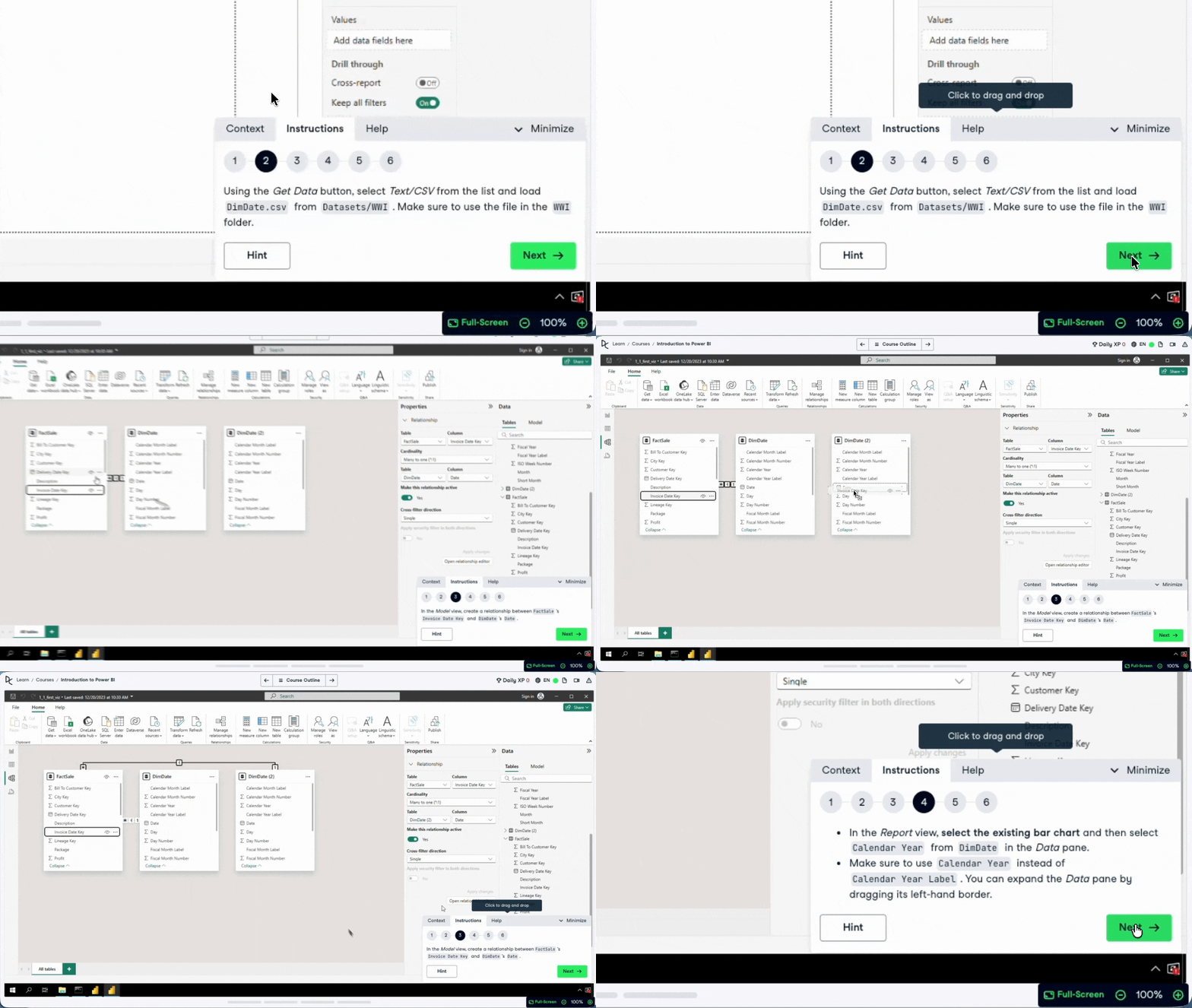
Discover Hands-On Learning
Access to DataCamp curriculum

Simple team management features

Manage your team with a simple admin dashboard. Assign learning, add/remove users, and keep everyone aligned with minimal overhead.

Simple team management features

Basic analytics and reporting
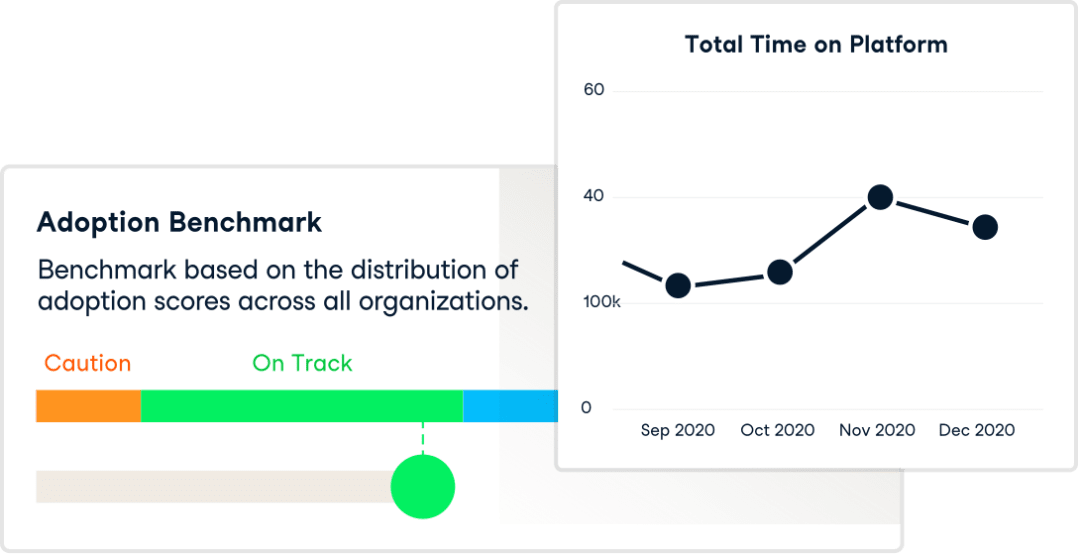
Monitor team progress with built-in performance reports to understand engagement and skill development at a glance.

Basic analytics and reporting

Trusted by leaders, loved by learners

Rolls-Royce [grayscale]
As a team, we decided to roll out DataCamp as it helps us solve engineering problems in a more efficient way. We don’t have to go through the basics, which can slow us down, but instead we dive right into the details and it helps us develop skills quickly
Ricardo Paiva

Design Systems Specialist at Rolls-Royce

Read Case Study
Bayer [grayscale]
My learning on DataCamp has been instrumental in helping me visualize and understand the practical applications of AI, particularly in the context of Bayer's business operations
Karu Karunananda

Quality Assurance Specialist at Bayer

Read Case Study
Specsavers [grayscale]
The learning I have done on DataCamp so far has brought immediate benefits to my everyday work.
Martin Adamski

ML Reporting Developer, Commercial Finance at Specsavers
Read Case Study
Best Results - Winter 2026 (G2 Badge)
Best Usability - Winter 2026 (G2 Badge)
Fastest implementation - Mid Market - Winter 2026 (G2 Badge)
Most Implementable - Winter 2026 (G2 Badge)
Leader - Winter 2026 (G2 Badge)
Users most likely to recommend - Enterprise - Winter 2026 (G2 Badge)

Scale as your team and needs evolve

Start with DataCamp for Teams and upgrade to DataCamp Enterprise as your organization grows, unlocking advanced features, deeper insights, and greater control when you need them. Examples of enterprise-only features include:

  • Advanced permissions management and security, e.g., enterprise SSO (SAML)

  • Integrations with learning management systems (LMS), learning experience platforms (LXP), and HR management systems (HRMS)

  • Advanced reporting and reporting integrations

  • Access to customization, premium services, and support

Compare Plans for a Detailed Breakdown

DataCamp for Teams FAQs

What happens to my current subscription if I upgrade to a Teams plan?

If an account with an individual subscription is enrolled in a group with an active Teams subscription, then the Teams license will replace the individual subscription, and a pro-rata refund will generate for the individual subscription's remainder. 

Once a Teams plan ends, the individual accounts will retain their progress, and individuals can continue with a new subscription.