
Course
Businesses across industries face a common challenge: repetitive tasks that drain time and stall innovation. While traditional automation can handle simple workflows, it struggles with complexity and unpredictability.
AI agents offer a different class of solution. Unlike basic chatbots or rule-based tools, they can analyze information, make decisions, and adapt to new situations without constant human input. This capability is driving rapid adoption, with the AI agent market reaching $7.6 billion in 2025 and projected to grow at 49.6% annually through 2033.
This guide covers the top AI agent solutions in 2026, from low-code tools to enterprise platforms, focusing on real-world implementation and strategy. Whether you're a developer, data scientist, or tech leader, you'll find practical insights to inform your next move.
For those new to the concept, our AI Agent Fundamentals skill track covers the core concepts. For a comparison of different agent architectures, see our guide on types of AI agents.
TL;DR
- Development frameworks: LangGraph, AutoGen, CrewAI, SmolAgents, OpenAI Agents SDK, and Google Antigravity let you build custom agents in code
- No-code/open-source tools: n8n, Dify, AutoGPT, and Rasa offer visual builders and self-hosting options
- Enterprise platforms: Claude Code, ChatGPT Agent, Devin AI, Perplexity Computer, Agentforce 360, and Microsoft Copilot Studio provide production-ready solutions
- New in 2026: Google Antigravity (agent-first dev platform), Perplexity Computer (multi-model orchestration), and Manus (autonomous task execution)
- Choosing a platform: Match the tool to your existing stack and team skills rather than chasing features
What Are AI Agents?
Before choosing a solution, it’s important to understand what AI agents are and how they differ from traditional automation.
An AI agent is a software system that senses its environment, analyzes data, makes decisions, and acts to achieve goals without constant human input. Unlike conventional software, which follows fixed rules, AI agents adapt based on the information they gather and learn from experience.
Most agents rely on four key components:
- Perception: Collecting input from users, sensors, or databases
- Decision-making: Analyzing data using algorithms or LLMs like Claude
- Action: Responding through system updates, tool use, or outputs
- Learning: Improving over time based on feedback and outcomes
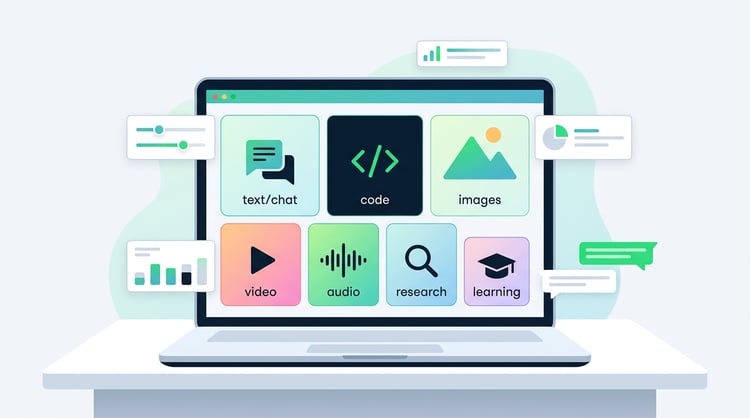
What sets modern agents apart is their ability to process multimodal inputs: text, images, audio, and video. This gives them a richer understanding of context and more flexible responses.
Applications of AI agents
AI agents are already solving real problems across industries:
- Customer service: Platforms like Agentforce manage inquiries 24/7 and improve with use
- Healthcare: Agents assist with diagnosis and monitor patient data
- Finance: They adapt to detect fraud and power algorithmic trading
These use cases show how AI agents go beyond automation to deliver adaptable, intelligent decision-making.
Want to learn more? See our guide Agentic AI: How It Works, Benefits, Comparison With Traditional AI for a detailed breakdown.
The Best AI Agents: A Comprehensive List
The AI agent market offers dozens of solutions, but choosing the right platform requires understanding how each addresses specific business needs and technical requirements.
With that said, let’s cover some of the best AI agents across a variety of formats, from development frameworks and tools to pre-built, enterprise agents.
Best AI agent development frameworks and tools
While pre-built enterprise agents work well for larger organizations, building custom agents gives you exact control over behavior and cost. Below are the top development frameworks for code-based agent building.
1. LangGraph
LangGraph is a specialized framework within the LangChain ecosystem that focuses on building controllable, stateful agents with streaming support.
With over 33,000 GitHub stars and multiple million monthly downloads, it has demonstrated strong enterprise adoption, with companies like Klarna reducing customer support resolution time by 80%.
- Stateful agent orchestration: Maintains context throughout extended interactions.
- Multi-agent support: Handles single-agent, multi-agent, hierarchical, and sequential workflows.
- LangSmith integration : Built-in monitoring and performance tracking.
- Human-in-the-loop workflows: Includes approval steps and manual intervention points.
- Streaming capabilities : Real-time response generation for improved user experience.
- Long-term memory: Persistent context across sessions and conversations.
You can get started with our LangGraph tutorial, which explores the platform in more detail and gives an intro guide to getting started.
Multi-Agent Systems with LangGraph
2. AutoGen
AutoGen is Microsoft’s multi-agent conversation framework that uses event-driven architecture for complex collaborative tasks. Released in September 2023, it has grown to over 50,000 GitHub stars and outperforms single-agent solutions on GAIA benchmarks, with companies like Novo Nordisk implementing it for data science workflows.
- Multi-agent conversations : Coordinates multiple AI agents for collaborative problem-solving.
- Event-driven architecture : Handles complex interactions between agents.
- Extensive documentation : Comprehensive tutorials and migration guides.
- LLM integration : Works with various large language models.
- Scalable workflows : Designed for complex enterprise tasks.
- Educational tools : Popular in academic and training environments.
To get started, check out our AutoGen tutorial, which walks through building multi-agent AI applications. For a comparison of the top multi-agent frameworks, see AI Agent Frameworks.
3. CrewAI
CrewAI orchestrates role-playing AI agents for collaborative tasks with a focus on simplicity and minimal setup requirements. Launched in early 2024, it has gained over 50,000 GitHub stars and nearly 1 million monthly downloads, making it popular for customer service and marketing automation.
- Role-based agents : Assign specific responsibilities to each agent in the crew.
- Simple implementation : Minimal code required for agent setup.
- LangChain independence : Operates without complex framework dependencies.
- Collaborative workflows : Agents work together on shared objectives.
- Popular adoption : Widely used in customer service and marketing sectors.
- Rapid deployment : Quick setup for multi-agent systems.
For hands-on implementation guidance, see our CrewAI Tutorial.
4. SmolAgents
SmolAgents is Hugging Face’s minimalist library that focuses on efficiency and simplicity. Released in December 2024, it has rapidly gained traction among developers who prefer a "code-first" approach. Instead of forcing LLMs to output complex JSON structures, SmolAgents uses a CodeAgent architecture where the model writes and executes standard Python code to solve tasks.
- Code-first architecture: Agents write and execute standard Python code rather than generating rigid JSON actions.
- Lightweight design: The entire library is roughly 1,000 lines of code, making it easy to understand and extend.
- Hugging Face integration: Native access to the Hugging Face Hub for loading tools and models seamlessly.
- Sandboxed execution: Runs generated code in a secure environment to prevent unsafe operations.
- Model agnostic: Optimized for open-source models (like Llama or DeepSeek) but works with any LLM.
- Retriever-Ready: Simple abstractions for connecting agents to search tools and local documents.
Get started with our SmolAgents Tutorial, which walks you through building your first lightweight agent in under 10 minutes. For a deeper dive, the Hugging Face Fundamentals skill track teaches you everything to start building with SmolAgents.
5. OpenAI Agents SDK
The OpenAI Agents SDK is a lightweight Python framework released in March 2025 that focuses on creating multi-agent workflows with comprehensive tracing and guardrails. With over 26,000 GitHub stars, it offers provider-agnostic compatibility with more than 100 different LLMs.
- Lightweight design : Minimal overhead for multi-agent workflows.
- Provider-agnostic : Compatible with 100+ different language models.
- Comprehensive tracing : Detailed monitoring and debugging capabilities.
- Built-in guardrails: Safety mechanisms and behavior controls.
- Low learning curve : Accessible for Python developers.
- OpenAI integration: Seamless connection with OpenAI services.
Get started with our OpenAI Agents SDK Tutorial for a step-by-step implementation.
6. Google Antigravity
Google Antigravity is Google’s agent-first developer platform, launched at Google I/O on May 19, 2026. It grew out of the Agent Development Kit (ADK) and exposes a single agent harness across four surfaces: the Antigravity 2.0 desktop app, the agy CLI, the Antigravity SDK, and Managed Agents via the Gemini API.
Powered by Gemini, it replaces both Gemini CLI and Gemini Code Assist (both sunset June 18, 2026).
- Multi-surface agent harness: The same agent runs across the desktop app, CLI, SDK, and API. Improvements land on all surfaces at once.
- Parallel agent execution: Run up to 5 agents simultaneously on different parts of your codebase in the desktop app.
- Managed Agents API: Spin up agents with a single API call. Each runs in an isolated Linux sandbox with code execution, file access, and web browsing.
- Antigravity SDK: Build custom agents programmatically using the same harness that powers the desktop app and CLI.
- Google ecosystem integration: Native connection with Gemini, Vertex AI, Firebase, and Google AI Studio.
- Flexible pricing: Pro tier included with Google AI Pro subscriptions. Ultra at $100/month, Ultra Premium at $200/month.
Get started with our Google Antigravity tutorial, or see the ADK tutorial for the underlying framework.
Building AI Agents with Google ADK
AI Agent Framework comparison
The table below compares these frameworks across key features, ideal use cases, and real-world adoption.
|
Framework / Tool |
Key Features |
Ideal For |
Notable Users / Integration |
|
LangGraph |
- Stateful agent orchestration - Multi-agent workflows (single, hierarchical, sequential) - LangSmith integration for monitoring - Human-in-the-loop workflows - Streaming capabilities - Long-term memory support |
Teams building robust, context-aware agents for extended interactions |
Klarna (80% reduction in support resolution time) |
|
AutoGen |
- Multi-agent conversation framework - Event-driven architecture - LLM-agnostic - Strong documentation and educational tools - Scalable for complex workflows |
Enterprise and academic environments needing collaboration between agents |
Novo Nordisk (data science pipelines) |
|
CrewAI |
- Role-based agent structure - Simple setup with minimal code - Framework-agnostic - Fast deployment for collaborative workflows |
Customer service, marketing, and teams seeking lightweight orchestration |
Widely adopted for service automation |
|
Smolagents |
- Code-first architecture - Lightweight - Model-agnostic - Sandboxed execution |
Developers seeking a simple, debuggable, and efficient framework |
Hugging Face ecosystem |
|
OpenAI Agents SDK |
- Lightweight multi-agent design - Provider-agnostic (100+ LLMs) - Integrated tracing and debugging - Built-in guardrails for safe execution - Easy for Python developers |
Developers needing customizable workflows with safety and flexibility |
Seamless with OpenAI services |
|
Google Antigravity |
- Agent harness across desktop, CLI, SDK, and API - Parallel multi-agent execution - Managed Agents via Gemini API - Gemini 3.5 Flash powered - Google ecosystem integration |
Developers building agents across the Google Cloud and Gemini ecosystem |
Launched at Google I/O 2026; replaces Gemini CLI |
Best no-code and open-source AI Agents
For teams without deep coding expertise or those looking to move fast, these no-code and open-source AI agent tools offer powerful functionality with minimal setup.
1. n8n
n8n offers a workflow automation platform that allows teams to create AI agent workflows through drag-and-drop interfaces. This open-source tool supports AI integrations and provides visual workflow building capabilities for automating complex business processes without programming knowledge.
- Drag-and-drop interface: Visual workflow creation without coding.
- AI integration support: Connects with various AI services and models.
- Workflow automation: Automates complex business processes and data flows.
- Open-source platform: Community-driven development with self-hosting options.
- Extensive connectors : Supports hundreds of different services and APIs.
- Visual debugging : Easy troubleshooting and workflow monitoring tools.
See our n8n AI Tutorial for workflow automation examples.
2. Dify
Dify is a low-code platform for creating AI agents with over 100,000 GitHub stars that makes agent development accessible to non-technical users. Its visual interface supports hundreds of different LLMs and includes built-in RAG, Function Calling, and ReAct strategies for comprehensive agent capabilities.
- Visual interface : Drag-and-drop components for agent development.
- Multi-LLM support : Compatible with hundreds of different language models.
- Built-in strategies : Includes RAG, Function Calling, and ReAct approaches.
- TiDB Vector Search : Scalable vector database integration.
- Enterprise features : Document generation and financial report analysis.
- Rapid prototyping : Quick development for startups and enterprises.
You can get started using Dify today with our article, Dify AI: A Guide With Demo Project.
3. AutoGPT
AutoGPT established the open-source AI agent space by breaking down complex goals into manageable sub-tasks that it can execute independently.
Built on OpenAI’s GPT models, it can access the internet, interact with various APIs, and maintain memory across sessions. The platform’s adaptability makes it valuable for research, data collection, and automating repetitive processes.
However, as I explore in our AutoGPT guide, it requires some technical knowledge for setup and maintenance.
Its open-source nature and modular design offer unique advantages for technical teams:
- Task decomposition : Automatically breaks complex goals into executable sub-tasks.
- Internet access : Searches and interacts with web services independently.
- Memory management : Maintains context across extended task sequences.
- API integration : Modular design supports numerous third-party tools.
- Open-source freedom : Complete customization and modification rights.
- Cost structure : Free platform with OpenAI API costs (pricing varies by model).
4. Rasa
Rasa provides an open-source framework for building sophisticated conversational AI with extensive customization potential. Trusted by enterprises like American Express, its CALM architecture separates language understanding from business logic, allowing any LLM integration without disrupting workflows.
- Full customization control : Modify any aspect of the conversational system.
- CALM architecture : Clean separation between language understanding and business logic.
- On-premises deployment : Maintains complete data control for sensitive applications.
- Enterprise support : Professional services and support for production deployments.
- Multi-language support : Handles diverse linguistic requirements.
- Community development : Active contributor ecosystem with regular updates.
No-code and open-source AI agent comparison
The following table breaks down top no-code and open-source AI agent tools, comparing their core features, strengths, and ideal use cases, making it easier to select the right solution based on your team’s technical needs and goals.
|
Tool |
Key Features |
Ideal For |
Notable Attributes / Use Cases |
|
Dify |
- Visual drag-and-drop agent builder - Supports hundreds of LLMs - Built-in RAG, ReAct, and Function Calling - TiDB vector database integration - Document generation & analysis |
Non-technical users, startups, and enterprise teams needing rapid prototyping |
Combines simplicity with deep functionality for business use cases |
|
AutoGPT |
- Goal decomposition into sub-tasks - Internet access and API interaction - Persistent memory - Modular and open-source - Free to use (OpenAI API costs apply) |
Technical teams and researchers automating multi-step workflows |
Pioneer in autonomous agent development, adaptable for many domains |
|
n8n |
- No-code, drag-and-drop workflow builder - Visual automation with AI service integration - Open-source and self-hostable - Supports hundreds of APIs - Visual debugging tools |
Business teams automating processes without coding |
Ideal for automating complex, multi-service workflows |
|
Rasa |
- Open-source conversational AI framework - CALM architecture decouples logic and language - On-prem deployment - Multi-language support - Full customization |
Enterprises and dev teams needing scalable, private chatbots |
Trusted by large organizations like American Express |
Best pre-built enterprise AI agents
The tools below are pre-built AI agents designed for production-grade deployment. They range from autonomous coding agents to general-purpose task executors, each offering a ready-to-use experience without requiring you to build from scratch.
1. Claude Code (Anthropic)
Claude Code is Anthropic’s agent-first coding tool, consistently described by the developer community as the strongest option for complex multi-file reasoning and architectural tasks. Rather than living inside a single IDE, Claude Code runs across terminal, VS Code, JetBrains, a standalone desktop app, and a web IDE at claude.ai/code.
Powered by Claude, it reads your entire codebase, plans multi-file changes, writes code, runs tests, debugs errors, and commits results autonomously. The agent teams feature enables parallel coding workflows, where multiple Claude Code instances work on different tasks simultaneously. Many teams use other tools for routine feature work and switch to Claude Code when they hit complex problems.
- Agent-first architecture: You describe what you want, and the agent drives, rather than offering line-by-line suggestions.
- Multi-surface deployment: Runs in terminal, VS Code, JetBrains, desktop app, and web IDE—works within your existing development environment.
- Agent teams: Run parallel coding workflows across multiple tasks simultaneously for larger projects.
- Full codebase understanding: Reads and reasons across your entire repository, handling complex cross-file dependencies.
- MCP integration: Connects to external data sources and SaaS apps via the Model Context Protocol.
- Pricing: Pro at $20/month, Max at $100–$200/month, Team and Enterprise tiers available.
For hands-on guidance, see our Claude Code best practices tutorial. For a head-to-head with Google’s agent platform, see Claude Code vs. Antigravity.
2. ChatGPT Agent (OpenAI)
ChatGPT Agent represents the consolidation of OpenAI’s "Operator" project into a unified, consumer-ready experience. The previous Operator tool has been deprecated, with all autonomous capabilities merged directly into ChatGPT via the new Agent Mode.
Unlike standard chatbots that simply reply to text, ChatGPT Agent is equipped with a virtual browser and "Computer Use" capabilities, allowing it to autonomously navigate the web, click buttons, fill out forms, and execute complex multi-step workflows like "find and book a flight" or "research and compile a 20-page market report." It serves as the primary "do-it-for-me" AI for Pro and Team users.
- Deep Research: Can autonomously browse dozens of websites, verify sources, and compile comprehensive reports (taking 5–30 minutes) without human oversight.
- Computer Use (CUA): Capable of interacting with web UIs to perform actions like booking tickets, ordering food, or managing software tools.
- Unified Interface: Seamlessly switches between "Chat," "Reasoning", and "Agent" modes in a single window.
- Enterprise Connectors: Integrates with Google Drive, Microsoft 365, and other business apps to perform tasks across your actual work data.
- Pricing: Available on ChatGPT Plus ($20/mo) with limits, or uncapped on the Pro ($200/mo) plan.
To see the tool in action, take a look at our ChatGPT Agent Tutorial.
3. Devin AI (Cognition Labs)

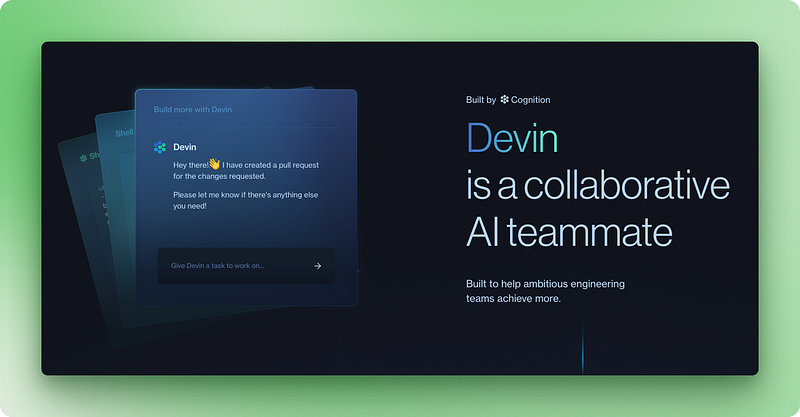
Devin AI handles complete development projects from planning to deployment. Built by competitive programmers with 10 IOI gold medals, the platform combines large language models with reinforcement learning inside a sandboxed environment.
Companies like Nubank have reported 12x efficiency improvements and 20x cost savings when migrating multi-million-line codebases. The platform excels at legacy code migration, bug fixing, and AI model fine-tuning.
The platform’s capabilities and pricing structure reflect its focus on development:
- Independent coding: Writes, debugs, and deploys complete applications independently.
- Real-time collaboration : Allows developers to work alongside the AI agent.
- Legacy code migration: Specializes in modernizing complex, outdated codebases.
- API integration : Connects with VSCode and other development tools.
- Flexible pricing: Core plan at $20/month, Team at $500/month, Enterprise custom pricing.
- Learning capability: Improves performance through user feedback and coaching.
4. Perplexity Computer
Perplexity Computer is a multi-model orchestration platform launched in February 2026 that coordinates 19+ specialized AI models to execute long-running workflows. Rather than relying on a single model, Computer routes each subtask to the model best suited for it: Claude Opus 4.6 handles core reasoning and coding, Gemini powers deep research, Grok handles lightweight speed-sensitive tasks, and GPT-5.2 manages long-context recall.
As we have covered in our Perplexity Computer Tutorial, the platform breaks high-level goals into parallel subtasks, assigns each to a sub-agent, and runs autonomously for hours or months. Perplexity used it internally for months before launch, including building a 4,000-row spreadsheet overnight. The Model Council feature (shipped March 2026) runs the same query across three models in parallel and synthesizes where they agree and disagree.
- Multi-model orchestration: Routes tasks to 19+ specialized models based on task type, rather than relying on a single LLM.
- Long-horizon execution: Workflows can run for hours, days, or months, checking in with users only when needed.
- Parallel sub-agents: Breaks goals into subtasks and assigns each to a dedicated sub-agent for concurrent execution.
- Persistent memory: Retains context across sessions, so agents resume exactly where they left off.
- 400+ integrations: Connects with third-party apps for email, calendars, project management, and more.
- Pricing: Available to Perplexity Max subscribers at $200/month with 10,000 credits per month.
5. Agentforce 360 (Salesforce)

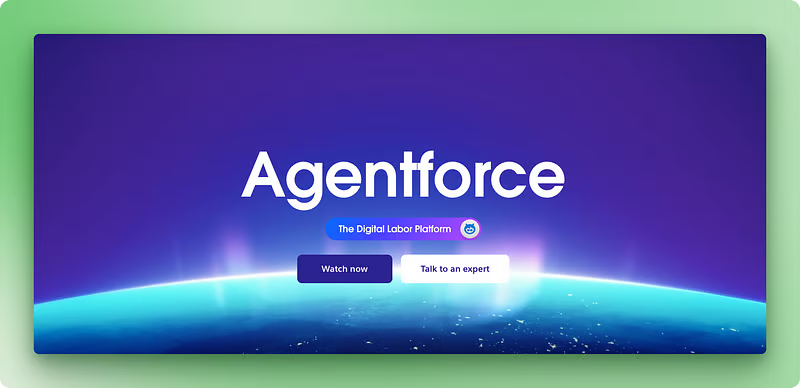
Agentforce 360 extends Salesforce’s CRM dominance into AI agent territory, providing pre-built solutions for sales, service, marketing, and commerce functions.
The platform is powered by the Atlas Reasoning Engine, a hybrid system that switches between strict compliance rules and flexible LLM reasoning to handle complex workflows safely. It combines generative AI with agentic reasoning, using Salesforce’s Data Cloud for context-aware automation.
Major clients like The Adecco Group, OpenTable, and Saks use Agentforce to provide faster, more personalized customer responses.
The platform’s strength lies in its deep CRM integration and established enterprise relationships. Its enterprise focus delivers comprehensive business automation capabilities:
- CRM integration : Connects directly with existing Salesforce data and workflows.
- Pre-built agents : Ready-made solutions for common business functions.
- Low-code builder : Agent Builder tool for creating custom automation without programming.
- Multi-channel deployment: Works across web, mobile, Slack, and other platforms.
- Data Cloud access : Uses Salesforce’s unified customer data for personalized interactions.
- Subscription pricing : Integrated with existing Salesforce plans (specific costs undisclosed).
6. Microsoft Copilot Studio

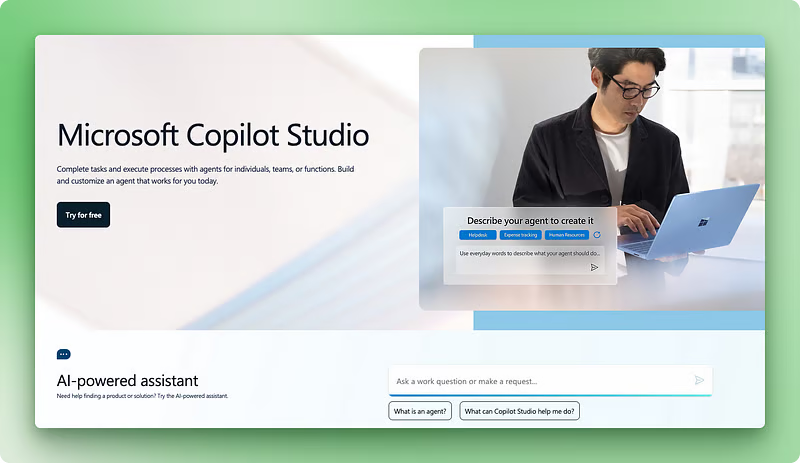
Microsoft Copilot Studio provides a comprehensive platform for building AI assistants that integrate with Microsoft 365 applications.
The low-code approach allows business users to create custom agents without extensive programming knowledge. Companies like ICG have reported $500,000 in cost savings and 20% margin improvements through Copilot implementation.
The platform’s tight integration with Microsoft 365 provides immediate value for organizations already using these tools. You can get familiar with Microsoft Copilot in our Introduction to Microsoft Copilot course.
The platform’s productivity focus delivers immediate value for Microsoft ecosystem users:
- Microsoft 365 integration : Native automation across Word, Excel, Outlook, and Teams.
- Low-code development : Visual tools for creating agents without programming.
- Multi-agent orchestration : Coordinates multiple AI agents for complex workflows.
- Azure AI integration : Access to over 1,800 Azure AI Foundry models.
- Computer use capabilities: Recent updates allow agents to interact with desktop applications.
- Subscription model : Included with Microsoft 365 Copilot add-on pricing.
Comparison analysis
|
Platform |
Primary Function |
Access Model |
Pricing |
Best For |
Main Limitation |
|
Autonomous coding agent |
Anthropic subscription |
$20–$200/month |
Complex multi-file reasoning, architectural tasks |
Developer-only; high cost at heavy usage |
|
|
Autonomous task execution |
ChatGPT subscription |
$20/month (limited access), $200/month (unlimited) |
Executives, consumers |
Latency and rate limits |
|
|
Independent software engineering |
SaaS with API |
$20–$500/month |
Development teams, legacy code migration |
Limited to coding tasks |
|
|
Multi-model orchestration |
Perplexity Max subscription |
$200/month |
Teams needing multi-model workflows and long-horizon tasks |
Premium pricing; requires subscription |
|
|
Business automation |
Salesforce subscription |
Part of Salesforce plans |
CRM users, customer service |
Salesforce ecosystem dependency |
|
|
Productivity automation |
Microsoft 365 subscription |
Part of Microsoft 365 |
Microsoft users, workflow automation |
Microsoft-focused |
Development teams should also consider AI coding assistants as complementary tools. Our guide to The 12 Best AI Coding Assistants in 2026 covers tools like Cursor, Windsurf, and GitHub Copilot that work alongside agent systems. For a direct comparison of two leading coding agents, see Claude Code vs. Antigravity.
The right platform depends more on your existing tech stack than on feature comparisons. Devin AI and Claude Code are best for development teams. Agentforce fits organizations already running Salesforce. Perplexity Computer suits teams wanting multi-model orchestration without building from scratch. Open-source frameworks like LangGraph and CrewAI offer full control but require engineering resources to maintain.
Other notable mentions
Several specialized platforms address specific business needs with unique approaches.
- OpenAI’s Codex: Codex is OpenAI’s cloud-based software engineering agent designed to automate coding tasks such as writing features, fixing bugs, running tests, and proposing pull requests. Each task operates within its own secure cloud sandbox, preloaded with the user’s repository. Learn more in this tutorial on Codex.
- Roo Code: Roo Code is an open-source coding assistant powered by the LLM of your choice via API calls. It runs as a Visual Studio Code extension with distinct "modes" (Orchestrate, Architect, Code, Debug, Ask), and is able to act directly on the local file system with high autonomy.
- Google Jules: Jules is Google’s asynchronous AI coding assistant that integrates directly with developers’ repositories. It clones the codebase into a secure Google Cloud virtual machine, understands the full context of the project, and performs tasks such as writing tests, building new features, fixing bugs, and updating dependencies. Learn more in this tutorial on Google Jules.
- Project Astra represents Google’s vision for a universal AI assistant that can understand and interact through multiple modalities. This prototype combines advanced language models with computer vision and real-time processing capabilities, allowing natural interactions through text, voice, images, and video.
- Yellow.ai specializes in conversational automation with support for 135+ languages, serving global companies like Domino’s and Hyundai.
- Moveworks focuses on employee support automation, helping organizations like CVS Health reduce live agent chats by 50%.
- AWS Q Dev: Amazon upgraded Amazon Q Developer Chat with agentic, multi-step reasoning so the assistant can autonomously call 200 + AWS APIs, diagnose resource issues, and apply fixes inside the console or Slack without human hand-holding.
- SAP Joule: Joule Studio lets SAP customers build no-code agents (“skills”) that pull live ERP data, suggest next-best actions, and automate approvals—keeping governance intact while speeding decisions. GA for custom skills in June; custom agents land later this year.
- IBM Watsonx Assistant: An enterprise conversational AI platform with retrieval-augmented generation, multi-channel deployment, and deep integration into IBM Cloud. Strong fit for regulated industries needing on-premises or hybrid deployments with SOC 2 and HIPAA compliance.
- BotPress: An open-source chatbot platform combining a visual flow builder with code hooks for advanced customization. Offers an analytics dashboard, multi-platform deployment, and custom API integrations for teams building conversation-driven agents.
- Manus: A general-purpose autonomous agent that decomposes goals into subtasks and executes them independently using 29 built-in tools for browsing, coding, and data analysis. Meta acquired Manus for $2 billion in December 2025, but China blocked the deal in April 2026, and the company's future ownership remains uncertain. Free tier available; paid plans from $19/month. See our Manus AI tutorial for hands-on examples.
Implementation Strategies and Best Practices
Picking an agent is the first step. Getting it into production requires planning on both the technical and organizational side.
Getting started
If you’re just starting out, these tips can help you get up to speed in no time.
1. Start with assessment and planning
Start by mapping your current workflows and infrastructure. Look for processes involving repetitive decision-making or data analysis, as these are the strongest candidates for agent automation.
Document existing pain points, measure current performance metrics, and set baseline measurements so you can evaluate agent effectiveness later.
2. Choose the right platform for your team
Selection should align agent capabilities with your specific use cases rather than choosing based on popularity alone. Technical teams benefit from frameworks like LangGraph or AutoGen for custom development, while business users often find more value in low-code platforms like Dify or established enterprise solutions. Consider your team’s programming expertise, existing technology stack, and long-term maintenance capabilities.
3. Run focused pilot tests
Begin with a single, well-defined use case that offers measurable business value but won’t disrupt operations if issues arise. Most organizations find that 2–3 month pilot periods provide sufficient time to evaluate effectiveness and address initial technical hurdles.
Technical teams can build expertise with our Associate AI Engineer for Developers track. Data science teams may prefer the Associate AI Engineer for Data Scientists pathway. For a broader comparison of available frameworks, see our AI Agent Frameworks guide.
Best practices
Once you have chosen the right tool and you start developing your AI agents, here are some best practices to bear in mind.
1. Build agent systems, not isolated tools
Rather than deploying isolated agents, build agent systems where specialized components work together. One agent handles data collection while another performs analysis and a third takes action based on results. This matches how OpenAI and Anthropic structure their own agent workflows.
2. Follow the proven four-step workflow
Implement the four-step agent workflow: user task assignment, planning and work allocation, iterative output improvement, and action execution. Build feedback loops where agents can review and refine their work before final delivery, improving output quality over time.
3. Avoid common implementation mistakes
Agents work best for unpredictable situations where rule-based systems would fail, rather than simple workflow automation. Avoid automating everything immediately; instead, focus on high-value processes that benefit from intelligent decision-making.
4. Measure what matters
Track both quantitative metrics like issue resolution rates and qualitative measures such as user satisfaction. Set clear performance baselines and establish regular review cycles to identify optimization opportunities.
5. Plan for growth from day one
Budget for increased API usage costs, infrastructure requirements, and support needs as agent usage grows. Develop internal expertise through training programs to reduce dependency on external vendors.
Final Thoughts
AI agents have moved past the chatbot era. The tools covered in this guide can plan multi-step workflows, coordinate with other agents, and act across dozens of applications with minimal human input.
But with this power comes responsibility. Regulations like the EU AI Act mean organizations must prioritize oversight, transparency, and compliance from the start.
To start building your own agents, I recommend the Designing Agentic Systems with LangChain course. If you want to go deeper into agent orchestration patterns, the Agentic RAG guide covers retrieval-augmented agent architectures.
Best AI Agent FAQs
What are AI agents and how do they differ from chatbots?
AI agents are software programs that can analyze information, make decisions, and execute tasks without constant human oversight. Unlike chatbots that follow predetermined paths, AI agents make independent decisions based on data they gather and can adapt to new situations through learning.
Which AI agent platform is best for my business?
The best platform depends on your existing technology stack and use case. Devin AI excels for development teams, Agentforce works best for Salesforce users, Microsoft Copilot Studio suits Microsoft 365 environments, while open-source options like Auto-GPT offer maximum customization for technical teams.
How much do AI agents cost to implement?
Costs vary widely by platform. Open-source solutions like Auto-GPT are free (plus API costs), while enterprise platforms range from $20/month (Devin AI Core) to $500/month (Devin AI Team). Many enterprise solutions integrate with existing subscription plans rather than separate pricing.
Can I build my own AI agent without programming experience?
Yes, several no-code platforms make AI agent development accessible. Dify offers visual drag-and-drop interfaces, Microsoft Copilot Studio provides low-code tools for business users, and BotPress combines visual flow builders with optional code customization.
What business processes work best for AI agent automation?
AI agents excel at processes involving repetitive decision-making, data analysis, and unpredictable situations where rule-based systems would fail. Common applications include customer service, data collection and analysis, content generation, and workflow coordination across multiple systems.

I am a data science content creator with over 2 years of experience and one of the largest followings on Medium. I like to write detailed articles on AI and ML with a bit of a sarcastıc style because you've got to do something to make them a bit less dull. I have produced over 130 articles and a DataCamp course to boot, with another one in the makıng. My content has been seen by over 5 million pairs of eyes, 20k of whom became followers on both Medium and LinkedIn.