
Course
Claude Code 101
3 hr
28.3K
Claude Code is a tool that operates directly in your terminal, understanding your codebase and assisting with development tasks using natural language commands. It integrates with your development environment with minimal setup, so you can focus on writing and improving code.
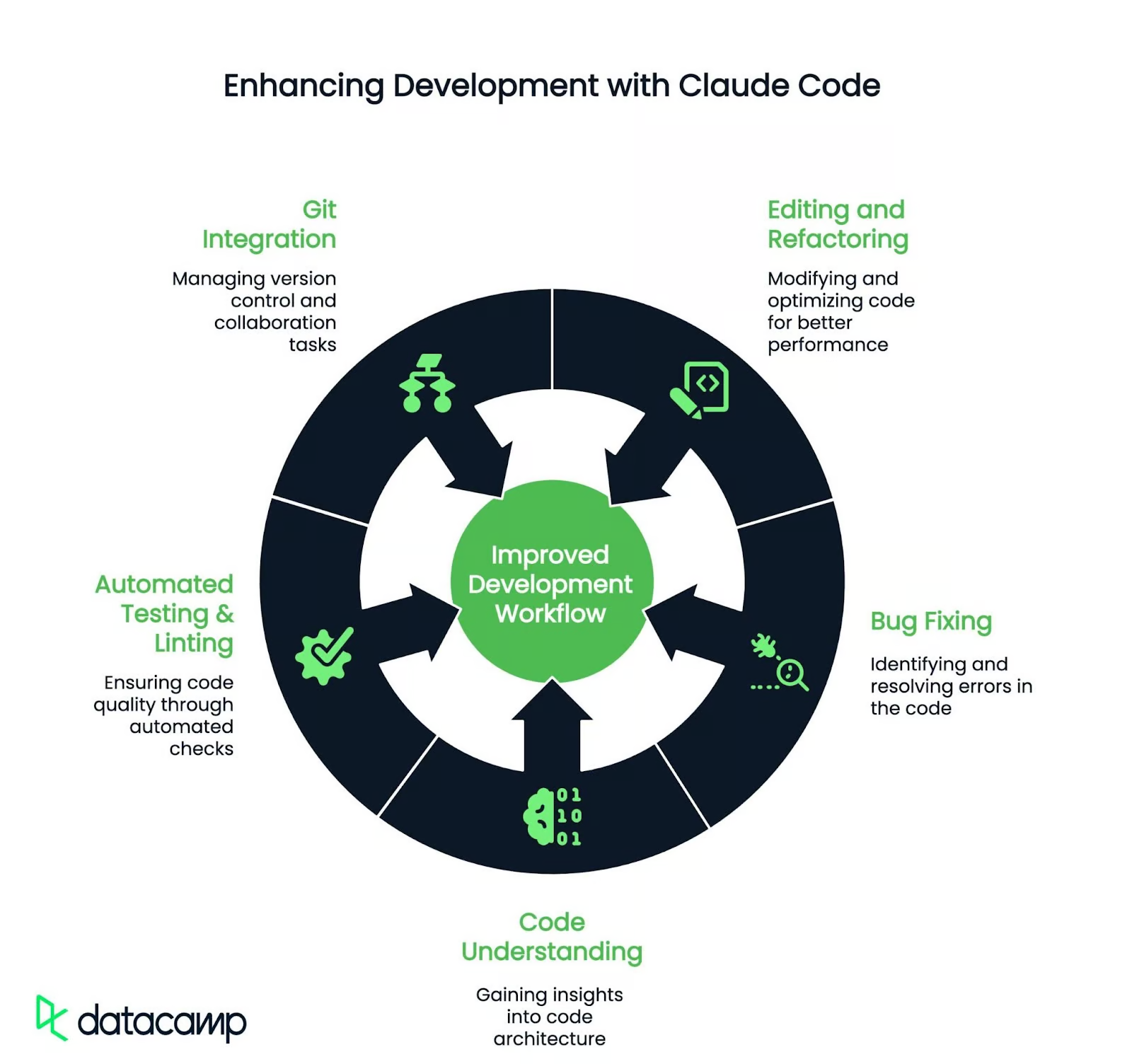
Here are a few key capabilities of Claude Code:
Whether working on an open-source project or managing enterprise-level codebases, Claude Code can help you with intelligent automation that adapts to your coding style and project requirements. Recent updates have added auto mode (fewer permission interruptions), plan mode (design-first workflows), and Routines (scheduled cloud agents that run on triggers without your machine running).
Here are some ideal users for this service:
Claude Code now defaults to Claude Opus 4.7 on Max and Team Premium plans. Pro users start with Sonnet 4.6 but can switch to Opus models for demanding tasks. You can switch models mid-session with the /model command or adjust reasoning depth with the /effort slider. You can also build standalone AI agents using the Claude Agents SDK.
Anthropic has also introduced Cowork for agent-style help with everyday file and document tasks beyond coding. It is available for all paid plan subscribers (Pro, Max, Team, Enterprise) in the Claude Desktop app.
If you are weighing Claude Code against other terminal agents, our Grok Build vs. Claude Code and DeepSeek Harness vs Claude Code comparison guides test Claude Code against its competitors on the same task.
Let’s get started with our hands-on project.
To get started with Claude Code, you need a terminal, a code project to work in, and either a Claude subscription (Pro/Max/Teams/Enterprise) or a Claude Console account with active billing.
Install Claude Code simply by running one of the following commands on your terminal, depending on your operating system and terminal.
macOS / Linux / WSL:
curl -fsSL https://claude.ai/install.sh | bashWindows PowerShell:
irm https://claude.ai/install.ps1 | iexWindows CMD:
curl -fsSL https://claude.ai/install.cmd -o install.cmd && install.cmd && del install.cmdNote: Installation via npm install -g @anthropic-ai/claude-code still exists but is deprecated, so you should prefer the native installation process mentioned above. If you previously installed via npm, you can migrate with claude install.
Once installed, navigate to your project directory and start Claude by running:
cd your-project-directory
claude
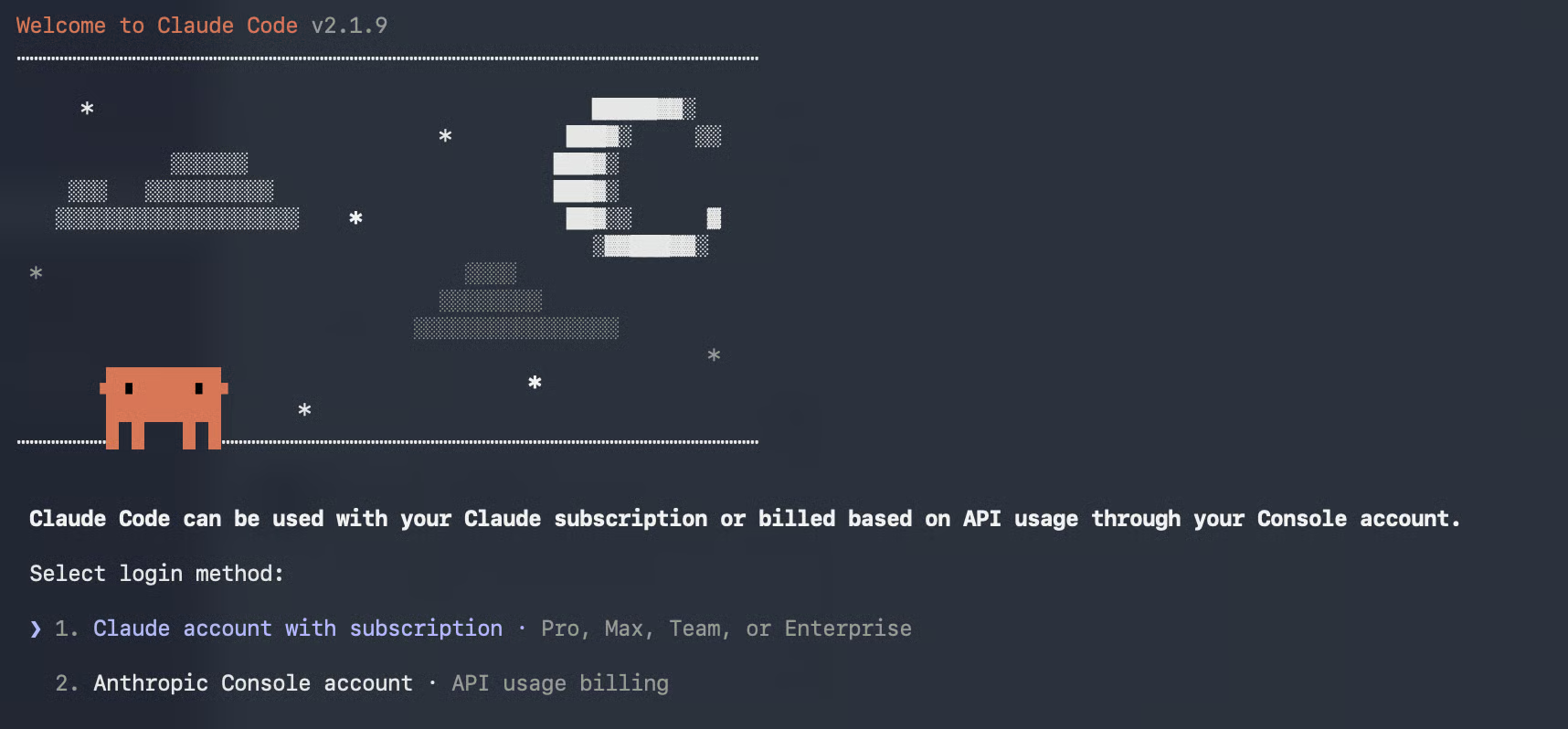
For authentication, you will be asked if you want to use Claude Code based on a paid subscription or API usage billing.
Next, you will receive a login link leading to a verification code that you have to enter in the terminal running Claude Code. Then you're done, and a dedicated “Claude Code” workspace is automatically created for usage tracking and cost management.
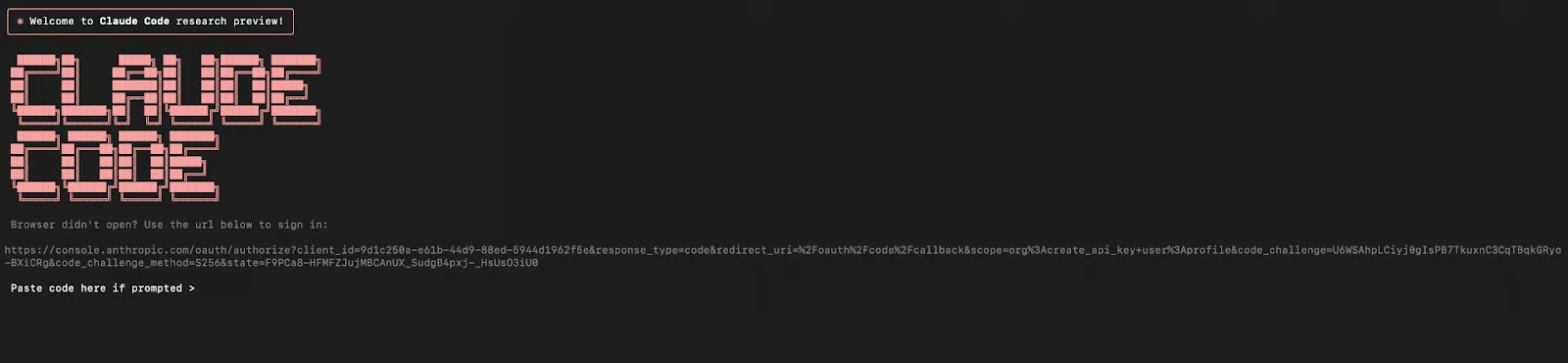
Now, Claude Code is ready to use.
For this demo, I’ll use the Supabase Python library supabase-py, an open-source Python client for interacting with Supabase, a backend-as-a-service built on PostgreSQL. Supabase provides a suite of tools, including authentication, real-time subscriptions, storage, and auto-generated APIs.
Let’s begin by cloning the repository and setting up our development environment.
1. Open your terminal, navigate to the directory where you want to clone the Supabase-py repository (e.g cd Desktop), and run the following command:
git clone https://github.com/supabase/supabase-py.git
cd  supabase-py
2. Next, create a virtual environment and install the required dependencies by running the following commands in your terminal one at a time
python3 -m venv env
source env/bin/activate  # On Windows, use ./env/Scripts/activate
pip install -e .
Your Python environment is now set up with all the necessary dependencies to run the Supabase library, and your repository is ready to be explored.
A great way to contribute is by exploring the Issues tab on GitHub. In the Supabase repository, I identified an issue in client.py related to code readability, structure, and lack of meaningful comments.
Here is what we are going to do with Claude Code:
Since we are already in the supabase-py folder, navigate to the supabase directory containing the client.py file and run Claude Code:
cd supabase
claude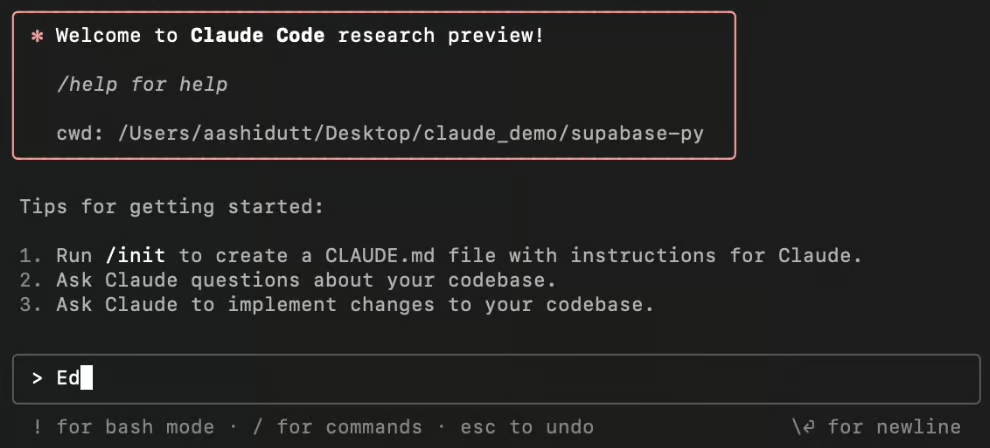
Claude Code now has access to every file and folder within the Supabase-py folder. Now, let’s experiment.
As part of improving the Supabase Python SDK, let's refactor the client.py file to enhance readability, maintainability, and organization. Simply enter the following prompt in the command line:
Prompt: Refactor the code in the client.py file located in the Supabase folder.
Claude will ask for confirmation before proceeding. Press Enter to approve the changes. Once complete, Claude Code will update the file, display the modifications in the terminal, and provide a summary of the changes made.
Using Claude Code, we applied the following improvements to client.py:
__all__ list for cleaner organization.Here is a side-by-side comparison of original and refactored code.
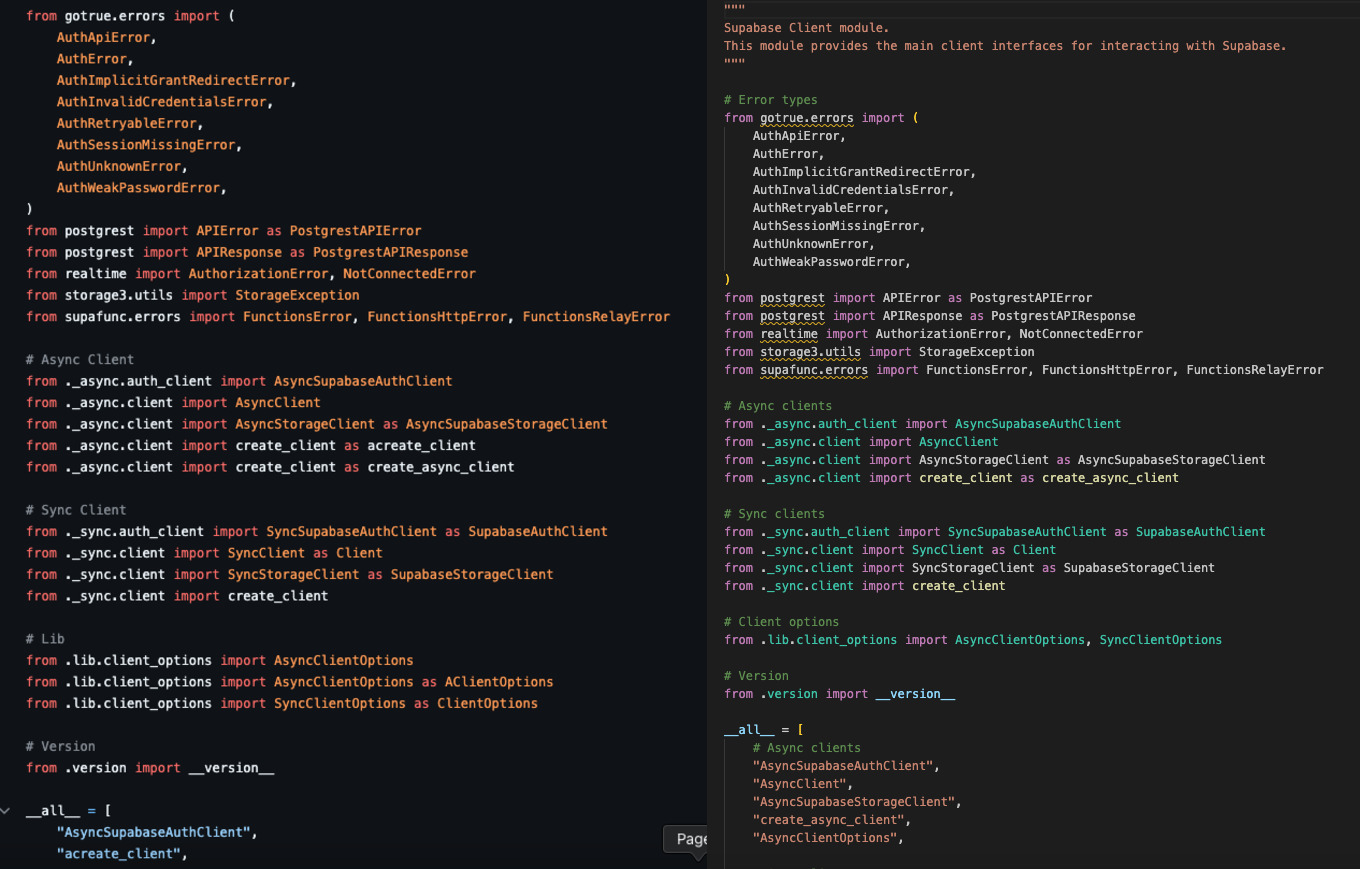
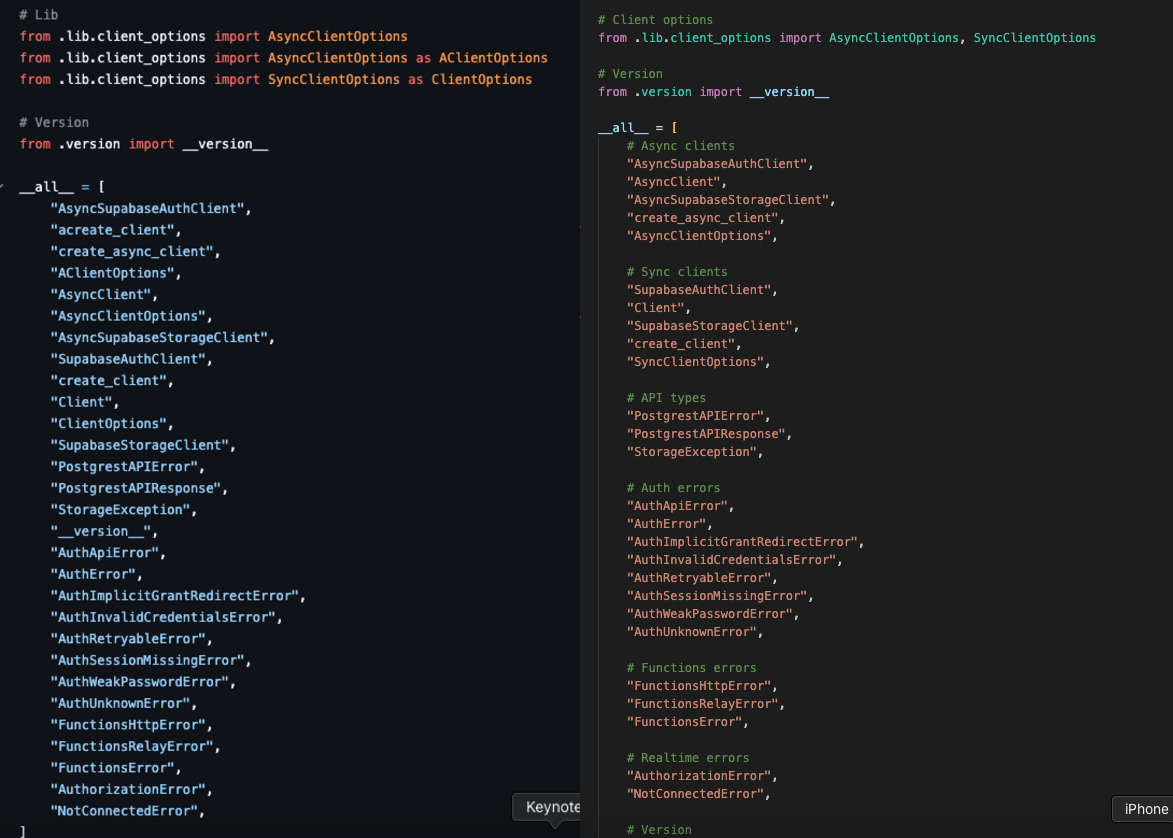
In addition to refactoring, Claude Code can generate, update, and standardize code documentation across an entire project.It can identify undocumented sections, generate structured docstrings or comments, and check compliance with project documentation standards.
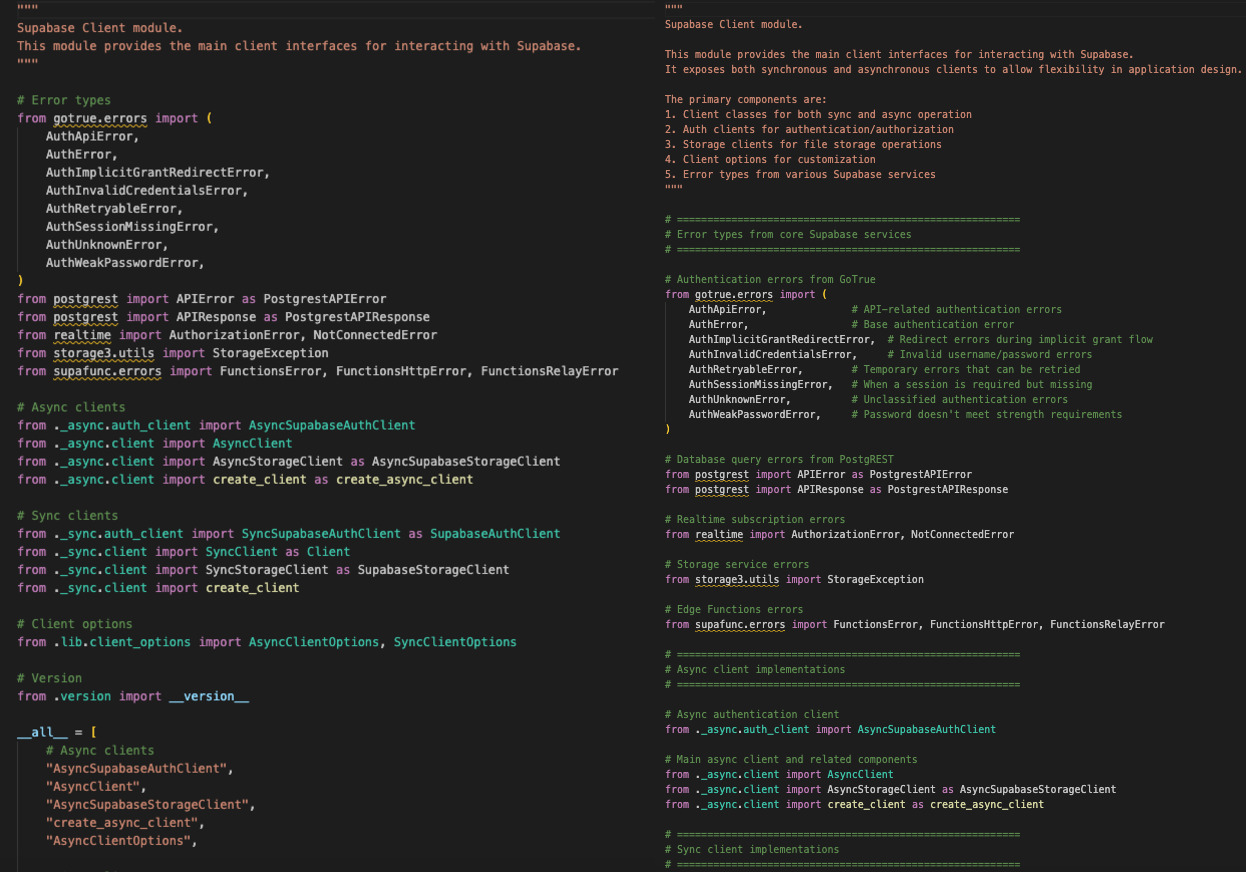
We used Claude Code to improve the documentation in client.py, resulting in:
Here is a side-by-side comparison of refactored and documented code.
Prompt: Document the client.py code by adding comments to improve understanding.
Once the documentation is added, you can verify its compliance with your project standards by prompting Claude:
Prompt: Check if the documentation follows our project standards.
Debugging can be time-consuming, but Claude Code shortens the cycle by analyzing error messages, identifying root causes, and suggesting fixes. Whether you’re dealing with missing imports, runtime errors, or logic issues, it narrows the search space and proposes targeted corrections.
Here is how to use Claude Code for debugging:
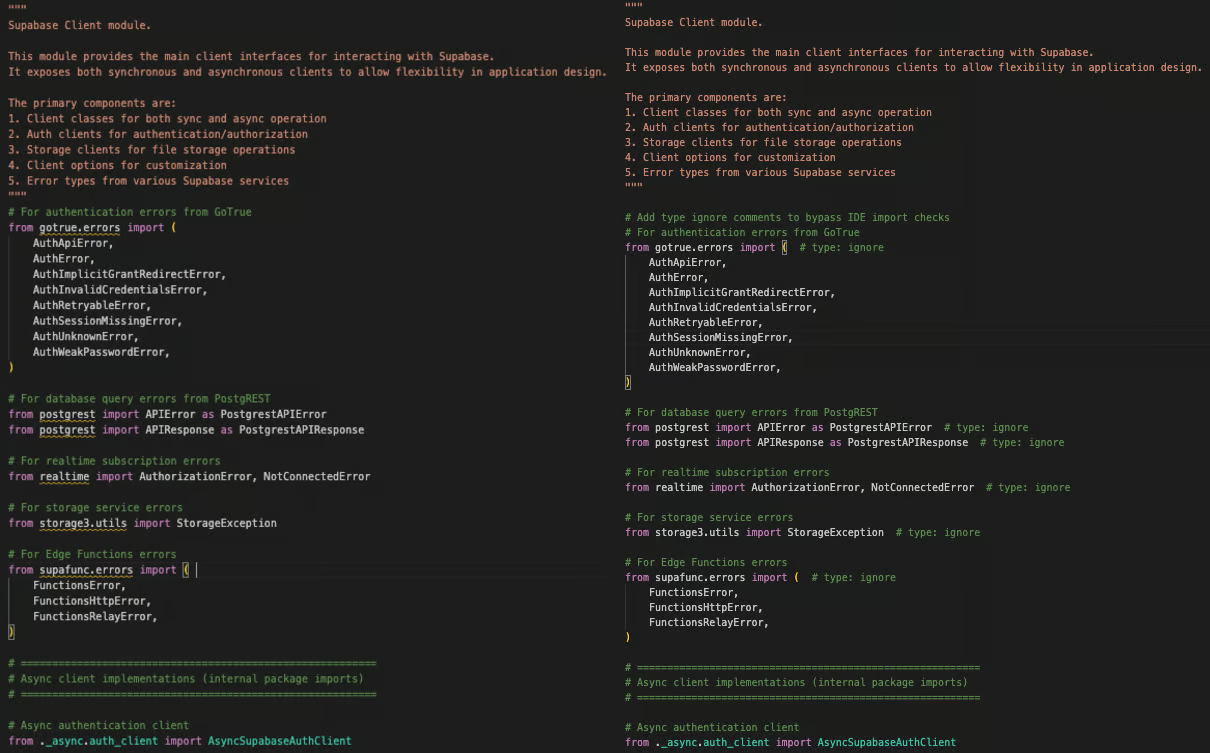
Claude Code made the following arrangements to resolve import-related issues within the client.py file:
# type: ignore comment to suppress IDE and type-checking warnings for unresolved imports.Here is a side-by-side comparison of the original code and the fixed code.
Prompt: I see some bugs, such as 'Import gotrue.errors' could not be resolved. Help me fix all errors in client.py.
Here are a few commands for you to try with Claude.
|
Commands |
Action |
|
|
Switch between available models (Opus 4.7, Sonnet 4.6, Haiku 4.5) |
|
|
Adjust reasoning depth (low, medium, high, xhigh, max) |
|
|
Enter plan mode, where Claude designs before building |
|
|
Multi-agent code review of your changes |
|
|
Clear conversation history and free up context |
|
|
Clear conversation history, but keep a summary in context |
|
|
Show the total cost and duration of the current session |
|
|
Check the health of your Claude Code installation, including version and update status |
|
|
Show help and available commands |
|
|
Initialize a new |
/hooks |
Set up and manage automation hooks |
|
|
Review a pull request |
|
|
View and change Claude Code configuration, including permissions |
/usage |
Show what's driving your usage limits (sessions, cache, context) |
For a deeper dive, I recommend checking out our Claude Code slash commands guide.
Once you are comfortable with the basics of refactoring and debugging, you can extend Claude Code’s capabilities by customizing how it behaves.Hooks and Plugins allow you to automate repetitive tasks and integrate external systems.
Claude Code hooks are automated triggers that execute shell commands when specific events occur during your Claude Code session. They automate repetitive tasks like code formatting, running tests, and security checks that Claude might otherwise skip.
Hooks use an event-action system, where you define three things:
The event: When is the hook triggered?
The matcher: Which actions are affected?
The command: What is run when the hook triggers?
For example, a hook might trigger after Claude writes a Python file and automatically run black to format the code. Hooks receive JSON context about what happened, enabling intelligent decisions based on file types or paths. They can output to Claude's transcript or send error messages directly to Claude to block operations.
Common use cases for hooks include the following
Code formatting: Automatically run linters and formatters after code writes
Testing: Execute test suites after modifications to catch bugs early
Security: Block modifications to sensitive files like production configs or API keys
Documentation: Auto-generate API documentation when source files change
Git automation: Create smart commits and validate branch protection policies
Notifications: Alert your team via Slack when important files change
Compliance: Enforce license headers or coding standards before allowing modifications
Set up hooks using the /hooks command in Claude Code or edit ~/.claude/settings.json directly.
Plugins are extensions that connect Claude Code to external tools, services, and APIs. While hooks automate local shell commands, plugins integrate with your broader development ecosystem like CI/CD pipelines, project management tools, and team communication platforms.
Plugins can bundle multiple components—subagents (specialized Claude assistants for specific tasks), MCP servers (standardized tool integrations), and hooks—into a single package that orchestrates them together.
A plugin might analyze code changes and automatically file issues in Jira, or connect to your internal testing infrastructure. Plugins respond to the same events as hooks but send data to external services and process responses to influence Claude's workflow.
Here are a few tasks Claude Code plugins are great for:
CI/CD integration: Trigger builds, tests, and deployments when files change
Project management: Auto-create or update issues in Jira, GitHub, or Linear
Team communication: Post updates to Slack or Teams when changes occur
Code review: Auto-create pull requests and manage reviews on GitHub/GitLab
External analysis: Call SonarQube, CodeClimate, or Snyk for enterprise code scanning
Custom tools: Integrate with proprietary company systems and workflows
IDE extensions: Add custom commands and navigation helpers
Install plugins from a registry or build them internally for your organization, then configure which events they respond to. Hooks and plugins together create an extensible platform that adapts Claude Code to your existing infrastructure.
Claude Code has added several other major capabilities in 2026 that expand how and where you can use it:
In this tutorial, I used Claude Code to refactor, document, and debug a file in the Supabase Python SDK. We improved code readability, added structured documentation, and resolved import issues.
Claude Code is actively evolving with features like plan mode, auto mode, and Routines, so it’s worth experimenting with your own projects to see how it fits your workflow.
To take the next step, I encourage you to read our Claude Code Best Practices tutorial that teaches you how to make the most of Claude's context window. If you want to build a project from the ground up, I recommend reading our tutorial on Spec-Driven Development with Claude Code.
Learn AI with these courses!
Course
Course
Course
Tutorial
Aashi Dutt
10 min
Tutorial
Tim Lu
15 min
Tutorial
Bexruz (Bex) Tuychiev
15 min
Tutorial
François Aubry
8 min
Tutorial
Bexruz (Bex) Tuychiev
14 min
code-along
Aimée Gott