Enterprise-ready integrations

Remove friction for admins by connecting DataCamp directly into your IT and existing technology ecosystem. Make rollout faster, management easier, and learning more connected with integrations across single-sign on (SSO), learning management systems (LMS), learning experience platforms (LXP), and HR management systems (HRMS). 

Request a Demo

Upskilling a small team? Get started today

Top global companies scale DataCamp with seamless integration into their existing HR tech stack

Bank of America logoAllianz logoPfizer logoCarhartt logoUbisoft logoUber logoBristol Myers Squibb logoAldi logo
Workday logoCornerstone logoDegreed logoEdcast logo
Saba logoSAP logoVector logo

Secure, simple, and built to scale

Onboard quickly with SSO

Use Google SSO or enterprise SSO (SAML) to make onboarding fast and secure. With Google SSO, new users can join instantly using their work account—no invites, easy setup, no IT involvement required. Or use the industry standard SAML 2.0 protocol for centralized IT control.


Centralize learning with LMS, LXP, and HRMS integrations

Bring DataCamp’s catalog directly into your LMS, LXP, or HRMS. Integrations with Cornerstone, SAP SuccessFactors, SABA, Territorium, 360Learning, Viva Learning, Degreed, Workday, and many more keep your training catalog unified and completion data consistent across platforms.

Integrate with your data environment

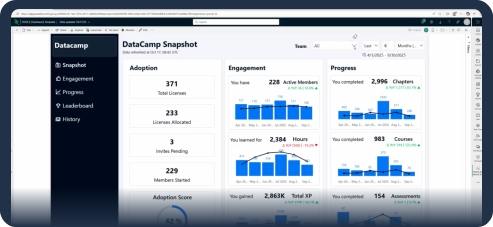
Get direct access to detailed DataCamp data in your enterprise BI (e.g., Tableau, Power BI) or data warehousing tool (e.g., Databricks) of choice. With the Data Connector, get flexible reporting and easily combine DataCamp insights with other key business data.

Drive engagement with messaging integrations

Deliver DataCamp where employees already work. Messaging integrations enable weekly leaderboards, content notifications, and personalized nudges in tools like Microsoft Teams to keep learning top-of-mind.

Admin and seat allocation, simplified with DataCamp

Colgate-Palmolive [grayscale]
DataCamp for Business provided Colgate with essential single sign-on and Degreed LMS integrations, enabling them to effectively assign learning paths, track program success metrics, and ensure security compliance.
Read Case Study
WGU [grayscale]
DataCamp’s SSO integration allowed WGU to automatically allocate licenses to students just in time when they started learning.
Read Case Study
Drax [grayscale]
Drax partnered with DataCamp for Business to upskill their core data team and adjacent departments, utilizing DataCamp’s SSO integration and working closely with their Customer Success Team to ensure a smooth platform rollout.
Read Case Study

Questions about working with your systems?

Get a personalized demo
By continuing, you accept our Terms of Use, our Privacy Policy and that your data is stored in the USA.

FAQ: DataCamp Integrations

How can I request an SSO integration?

In order to set up SSO, you must be an admin of your organization.

DataCamp supports both Google SSO and enterprise (SAML 2.0) integration. The former can simply be enabled in admin SSO settings. To set up enterprise SAML SSO, you must have a SAML Identity Provider (IdP) configured. The IdP is the directory or database that contains the user and organization accounts. You can read more about setting up SSO in our help center article.