Przejdź do głównej treści
Strona główna

Tableau: Data Visualization and Dashboards

Learn Tableau for modern BI with DataCamp. Master Calculated Fields, Parameters, and LOD Expressions, connect data sources, and build dashboards and data stories through projects. Ideal for Business Analysts or Tableau Desktop Specialist prep.

Utwórz bezpłatne konto

Kontynuuj z GooglePokaż więcej opcji

lub


Kontynuując, akceptujesz nasze Warunki korzystania, naszą Politykę prywatności oraz to, że Twoje dane są przechowywane w USA.
Group

Szkolisz 2 lub więcej osób?

Wypróbuj DataCamp for Business

Recommended for Tableau beginners

Build your Tableau and data visualization skills with interactive courses, tracks and projects, curated by real-world experts.

Ścieżka

Podstawy Tableau

4.5+
16 recenzji
23 godz.
Poznaj podstawy Tableau i zdobądź umiejętności potrzebne do zdania certyfikacji Tableau Desktop Specialist. Nie jest wymagane wcześniejsze doświadczenie!

Kurs

Wprowadzenie do Tableau

PodstawowyPoziom umiejętności
4.8+
5087 recenzji
6 godz.
Zacznij swoją przygodę z Tableau dzięki kursowi Wprowadzenie do Tableau. Poznaj podstawy Tableau, takie jak jego funkcje i pulpity nawigacyjne.

Nie wiesz, od czego zacząć?

Wykonaj ocenę

Przeglądaj kursy i ścieżki Tableau

Kurs

Wprowadzenie do Tableau

PodstawowyPoziom umiejętności
4.8+
5087 recenzji
6 godz.
Zacznij swoją przygodę z Tableau dzięki kursowi Wprowadzenie do Tableau. Poznaj podstawy Tableau, takie jak jego funkcje i pulpity nawigacyjne.

Kurs

Analiza danych w Tableau

PodstawowyPoziom umiejętności
4.8+
1608 recenzji
8 godz.
Rozwiń swoje umiejętności Tableau dzięki zaawansowanej analityce i wizualizacjom.

Kurs

Tworzenie dashboardów w Tableau

PodstawowyPoziom umiejętności
4.8+
1390 recenzji
3 godz.
Pulpity nawigacyjne to must-have w świecie opartym na danych. Zwiększ wpływ na wyniki biznesowe dzięki dashboardom Tableau.

Kurs

Łączenie danych w Tableau

PodstawowyPoziom umiejętności
4.8+
1102 recenzje
3 godz.
Naucz się łączyć Tableau z różnymi źródłami danych i przygotowywać dane do płynnej analizy.

Kurs

Data Visualization in Tableau

PodstawowyPoziom umiejętności
4.8+
804 recenzje
6 godz.
Data visualization is one of the most desired skills for data analysts. This course allows you to present your findings better using Tableau.

Kurs

Calculations in Tableau

ZaawansowanyPoziom umiejętności
4.7+
643 recenzje
6 godz.
In this interactive course, you’ll learn how to use functions for your Tableau calculations and when you should use them!

Kurs

Techniki statystyczne w Tableau

ŚredniozaawansowanyPoziom umiejętności
4.8+
632 recenzje
4 godz.
Podnieś swoje umiejętności raportowania dzięki wbudowanym funkcjom statystycznym Tableau.

Kurs

Case Study: Analyzing Job Market Data in Tableau

PodstawowyPoziom umiejętności
4.7+
536 recenzji
3 godz.
In this case study, you’ll use visualization techniques to find out what skills are most in-demand for data scientists, data analysts, and data engineers.

Kurs

Analiza szeregów czasowych w Tableau

ŚredniozaawansowanyPoziom umiejętności
4.7+
153 recenzje
2 godz.
In this course, you’ll learn to classify, treat and analyze time series; an absolute must, if you’re serious about stepping up as an analytics professional.

Kurs

Analityka marketingowa w Tableau

ŚredniozaawansowanyPoziom umiejętności
4.8+
85 recenzji
6 godz.
Opanuj analitykę marketingową w Tableau. Analizuj wydajność, porównuj metryki i optymalizuj strategie w różnych kanałach.

Kurs

Studium przypadku: analiza e-commerce w Tableau

ŚredniozaawansowanyPoziom umiejętności
4.7+
62 recenzje
3 godz.
In ecommerce, increasing sales and reducing expenses are top priorities. In this case study, youll investigate data from an online pet supply company.

Kurs

Studium przypadku: analiza zapasów w Tableau

ŚredniozaawansowanyPoziom umiejętności
4.7+
55 recenzji
2 godz.
Rozwiń umiejętności Tableau dzięki temu studium przypadku dotyczącym analizy zapasów. Analizuj zbiór danych, twórz pola obliczeniowe i twórz wizualizacje.

Powiązane zasoby dotyczące Tableau

blog

6 Tableau Projects to Help Develop Your Skills

Explore our list of Tableau projects for beginner and intermediate learners across different industries and use cases.
Jess Ahmet's photo

Jess Ahmet

6 min

blog

Top 25 Tableau Interview Questions for 2026 (Beginner - Advanced)

Get ahead in your Tableau interviews with our comprehensive guide covering common questions for beginner, intermediate, and advanced users.
Chloe Lubin's photo

Chloe Lubin

15 min

ściągawka

Tableau Cheat Sheet

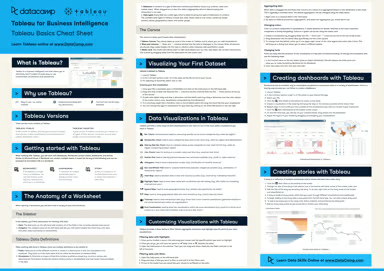
In this Tableau Cheat Sheet, you'll get the download on creating your first visualization, top visualizations in Tableau, creating dashboards, stories, and more.
Richie Cotton's photo

Richie Cotton

8 min


Frequently asked questions

What is Tableau and what is it used for?

Tableau is a powerful data visualization tool used for creating a wide range of sophisticated visualizations to make data analysis easier and more intuitive. It's primarily for business intelligence, helping users to see and understand their data through interactive and shareable dashboards, making complex data more accessible and understandable.

Learn more in our guide: What is Tableau?

Is Tableau easy to learn?

Tableau is known for its advanced capabilities in data visualization, which can initially present a learning curve, especially for those new to data analysis. However, its intuitive interface and drag-and-drop features make it relatively easy to learn, especially with our interactive courses.

How can learning Tableau benefit my career?

Learning Tableau can significantly advance your career prospects, particularly in fields that rely heavily on data visualization and business intelligence. With its advanced capabilities in creating interactive and insightful data visualizations, proficiency in Tableau is highly sought after in roles such as data analysts, business intelligence professionals, and marketing analysts, making it a valuable skill in a data-driven job market.

Should I learn Tableau instead of Excel?

Don’t think of Tableau as a replacement for Excel. While Excel's primary function is to create spreadsheets, Tableau's core function is visualizing data. Ideally, you should learn both. They are major players in business analytics and offer a wealth of new insights when used together.

Do I need to know how to code to learn Tableau?

No, you do not need to know how to code to learn Tableau; it's designed to be user-friendly with a focus on intuitive drag-and-drop features for data visualization.

What is the difference between Tableau and Power BI?

Both are industry leaders, but they serve slightly different needs. Tableau is often preferred by Data Analysts for its flexibility, beautiful design capabilities, and ability to handle massive, complex datasets. Power BI is often chosen by general business users for its seamless integration with the Microsoft Office ecosystem and lower price point.

Do I need to buy a Tableau license to learn?

No. DataCamp’s interactive environment allows you to practice Tableau concepts directly in your web browser without installing or buying anything. For personal projects outside of DataCamp, you can download Tableau Public, which is a free version of the software.

Do I need to know SQL to use Tableau?

It is not required to start, but it is highly recommended for professional roles. Tableau allows you to drag and drop data to create visuals, but in the real world, you often need SQL to extract and clean that data from a company database before you can visualize it.

How long does it take to learn Tableau?

You can learn the basics, like connecting data and building simple charts, in 1-2 weeks. Becoming proficient enough to build complex, interactive dashboards and use advanced calculations typically takes 2-3 months of consistent practice.

Inne technologie i tematy

technologie

Rozwijaj swoje umiejętności w zakresie danych dzięki DataCamp dla urządzeń mobilnych

Rób postępy w podróży dzięki naszym kursom mobilnym i codziennym 5-minutowym wyzwaniom kodowania.